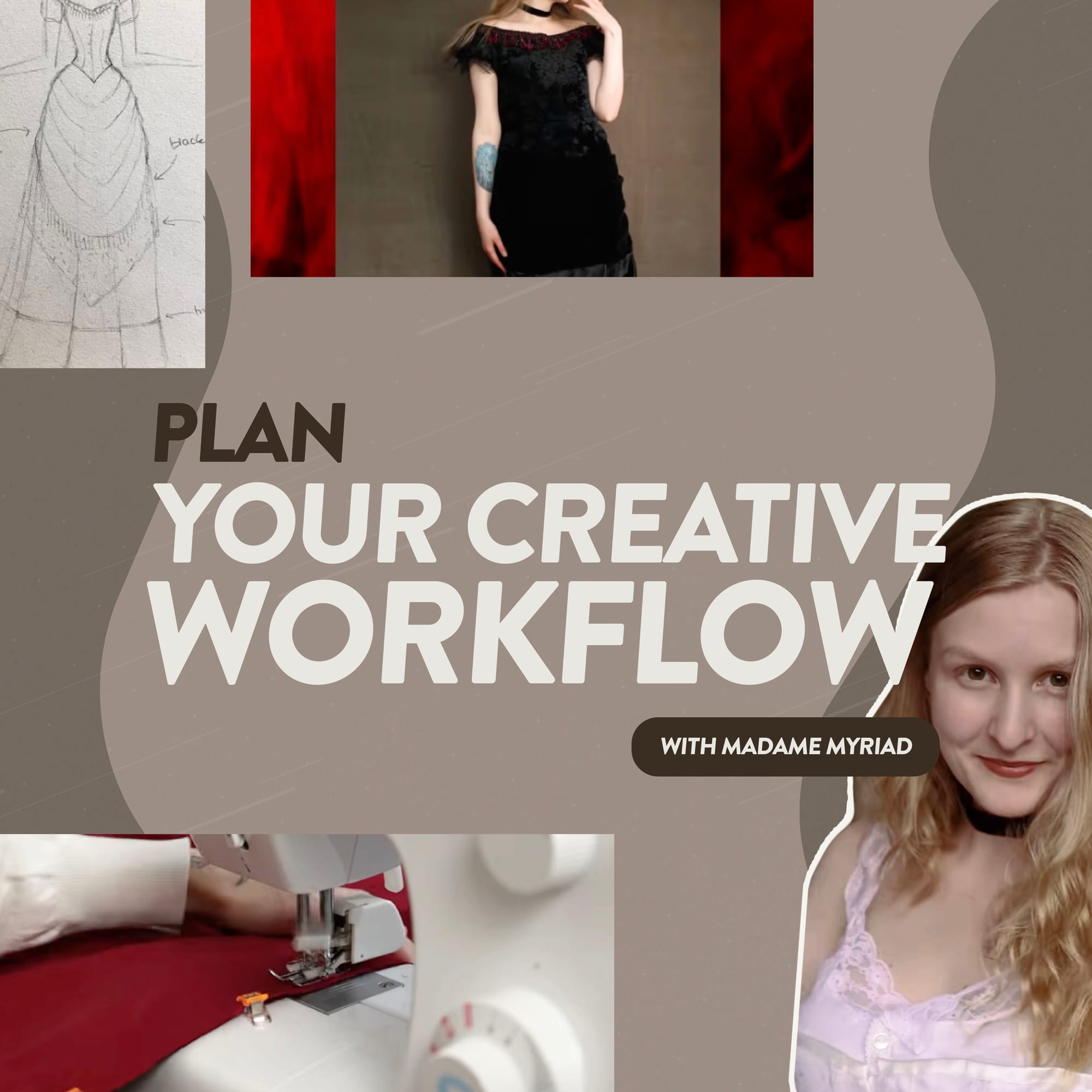
“When you’re editing, it can feel like no progress is being made until the last day. But because I follow the same routine every time, I know that's not the case.”
Madame Myriad is a YouTuber known for craft builds and DIY projects that feel big, detailed, and genuinely creative. They’re the kind of videos that could easily turn into an editing nightmare if you don’t have a clear process. That’s why her workflow is worth stealing.
In this interview with Uppbeat, she shares the creative routines that keep her on track. She breaks down how to plan ideas without forcing a rigid schedule, the importance of filming with the edit in mind, and how to stop endlessly tweaking a video and just hit publish.
- Capture ideas fast, even the messy ones
- Keep multiple projects on the go
- Film with your final story in mind
- Build your edit step-by-step
- Use a checklist to know when you’re done

1. Capture ideas fast, even when they’re messy
Madame Myriad’s ideas don’t arrive neatly packaged. Some come from old inspiration she’s saved for later, while others show up in a spontaneous moment. Either way, her goal is to catch the spark before it disappears.
MM: “Sometimes ideas start with a Pinterest board I’ve put together, even something I saved years ago. But then other projects don’t even make it onto Pinterest. I’ll just get the idea, do a sketch and start looking for fabrics. It never gets saved because I jump on it right away.”
It’s an ideation process that could feel chaotic, but Madame Myriad has made it work with a simple system she follows every time.
MM: “I’ve got two little books. The black one is where I sketch designs and formulate ideas, and the green one where I pull together a real plan. It’s full of to-do lists, checklists, what I need to gather, and how quickly I can get it.”
Madame Myriad separates the creative spark from the plan. Loose ideas live where they can stay loose, and only the projects she’s genuinely taking forward get translated into a firmer, practical checklist. This way the chaos stays creative, not confusing.
Madame Myriad’s Key Takeaway:
Let ideas start messy – just make sure you capture them somewhere reliable. Keep your inspiration and sketches in one place, then move the ideas you’re actually doing into a simple plan.

2. Keep multiple projects simmering so you never get stuck waiting
A neat upload schedule is difficult when you make craft videos like Madam Myriad. She uses thrifted and deadstock fabrics, which means her ideas don't move forward until the materials show up.
MM: “I make all my textiles projects out of things I find. Sometimes a project gets planned and done in three weeks because I found exactly what I needed quickly. Other times I’ll spend six months collecting for one project and I’m still working on it.”
Once she’s got a few options on the go, choosing what to film next becomes a practical decision. She’ll push certain projects back if they’re expensive or harder to shoot, and bring others forward if the timing makes filming easier.
MM: “Some projects sit on the back burner while I collect fabrics over time and spread the cost. Living in England, I also have to think about when I can shoot results. If it’s a big dress for example, I want to make it in summer so I can take it outside. I factor the algorithm in too. If I know certain content does well at a particular time of year, I’ll leave it for that month.”
It might not be a process that works for everyone, but Madame Myriad always knows what she’s going to post next. She looks at the projects already in motion and picks her next upload from what makes sense right now.
Madame Myriad’s Key Takeaway:
Don’t plan your uploads like a rigid factory line. Keep a few projects ticking over in the background, then pull the right one forward when factors like materials, weather, and timing line up.
3. Film with the final story in your head, even if you film scenes out of order
Madame Myriad has a clear vision of her end video, before she picks up the camera. This gives her the flexibility to film shots out of sequence and the confidence that she can make it work in the edit.
MM: “When I started out, my filming process was more flexible. I’d film everything, then think about how to make a video out of it.
MM: “Sometimes I capture things out of order, but I know the order I’ll edit it in. So even if I don’t film everything in the right sequence, I know how to film the next part so it makes sense.”
This mindset stops her over-filming. Instead of recording everything just in case, Madame Myriad makes a judgement call in the moment – does she already have enough to tell this part of the story?
MM: “It’s a lot quicker to edit when you don’t film loads of unnecessary stuff you won’t use. I always keep a running tab in my head of what I’ve filmed and I’ll know if I’ve already got enough footage.”
If she does decide to film more takes, it’s done intentionally. If another person is involved, or if there’s something you can’t easily recreate, that’s when planning becomes less optional, because missing a shot could force a workaround later.
MM: “If something involves other people, I plan it more. I’m working the shoot around their schedule so it might be difficult to then set up a second shoot if I found I was missing footage.”
The thread through all of this is that she’s filming with intent. By keeping the edit in mind while she works, she avoids drowning in unnecessary footage or getting caught out with too little.
Madame Myriad’s Key Takeaway:
You don’t need a strict script, but you need continuity. Get your storyline clear in your head before you start filming and your edit will be easier to build.

4. Build your edit step-by-step so you don’t get lost in details
A structured editing routine can save precious time. Madame Myriad has perfected her process by separating it into three clear stages – assemble, shorten, and polish. This prevents her from spending time color-grading or tweaking scenes that won’t make the final cut
MM: “I've built a real routine with editing. The first thing I do is put everything in the timeline, even if the video ends up being two hours long. Then I cut it down to a watchable timeframe.”
Once the watchable version exists, she can work through improvements to the actual viewing experience which naturally tightens the video further without her having to hunt for extra cuts.
MM: “When I’m refining the edit I tend to lose minutes from the video. It happens naturally through the process of adding in title cards, graphics, doing the voice over and really cutting it down. When the audio, soundtrack and color grade gets done is when everything really starts to feel polished.”
Madame Myriad’s routine turns editing into a predictable process instead of a never-ending judgement call. By building the structure first and saving the make it pretty part for the end, she keeps the video moving forward.
Madame Myriad’s Key Takeaway:
Edit in the same order every time. Build the structure first, refine second, polish last. You’ll waste less time perfecting clips that might not even make the final cut.

5. Use a checklist to know when you’re done and push through the final doubt
Most creators know that end-of-edit limbo. You’ve been staring at the same timeline for days, progress has stagnated, and you begin to question whether it’s ready to export, or if you should tweak just one more thing. Madame Myriad’s fix is simple, she gives herself a finish line she can trust.
MM: “I start every edit with this notepad I’ve had since the start of my channel. Every page is the same checklist again and again. I write it out fresh every time I start a new edit.”
The list also solves the most demoralising part of editing, the middle. Everything still looks rough and you can’t tell if you’re getting anywhere. When the timeline hasn’t clicked yet, the list turns progress into something measurable.
MM: “Sometimes I can spend four 16-hour days at the computer getting edits done. What keeps me sane is the list. On days when I feel like no progress is being made, the checkboxes tell me that it is”
Even with a solid system, Madam Myriad still hits that final wobble most creators recognize – the moment you’re basically done, but your brain starts scanning for ways to justify reopening everything.
MM: “I always question, is this video good? Sometimes I’m reluctant to upload because I start doubting if I could make it better. But you just have to push through it. Usually a couple of days pass and I look back and think, actually that was a good video. I was just too deep in the project to see it.”
Her videos only feel finished once they’re uploaded, so she doesn’t rely on gut instinct to decide when to stop. The checklist gives her a fixed route through the messy middle and a clear finish line, so done is a process, not a feeling.
Madame Myriad’s Key Takeaway:
A checklist gives you a finish line and proof of progress, so you don’t tweak forever. If you’ve followed your process and the list is done, hit export. The last-minute doubt is usually just being too close to the work.

Make your workflow frictionless so you can keep creating
Madame Myriad’s process isn’t about perfect organization, it’s about removing the things that slow you down. She catches ideas quickly, keeps a few projects moving at once, and films with the edit already in mind. The result is less time drowning in footage or second-guessing, and more time actually making.
That time-saving principle also makes Uppbeat useful in a workflow like this. When you’ve already done the hard part – planning, filming, building the story – you don’t want the final stretch to stall because you’re hunting for royalty-free music or sound effects. Uppbeat keeps that part quick and consistent, so you can add the finishing touches and get to the point where you can confidently hit export.