You've probably seen B-roll in action without knowing it had a name. Think about a city skyline that plays while an interviewee talks about moving abroad, or a close-up of a coffee being poured to bridge two scenes in a vlog. That supporting footage is B-roll, and it's one of the fundamentals of good filmmaking.
Without B-roll, even well-shot videos struggle to hold attention, and can increase the risk of people clicking away. By the end of this article you'll know how to find B-roll that complements your footage and add it to your edit in a way that helps keep viewers hooked.
- What is B-Roll?
- B-Roll vs. A-Roll: What's the difference?
- Why B-Roll makes your videos better
- When to shoot your own vs. use stock footage
- What to look for when choosing B-Roll footage

What is B-roll?
B-roll is any footage in your video that isn't your main shot – the clips you cut to rather than the ones carrying the story. Think of an interview where the subject mentions their morning run. While they speak, the video might cut to a clip of them running through a park. This supporting footage is the B-roll.
The term B-roll comes from old-school film production and refers to footage stored on a second reel labeled "B." The A-reel held the main footage. The B-reel held everything else. The reels are gone, but the term stuck.
B-roll keeps your edit moving and your story clear. A travel vlog without it is just a face talking about places. A documentary without it is just an interview. Whatever you're making, B-roll is the footage that brings it to life.

B-roll vs. A-roll: What's the difference between them?
A-roll and B-roll describe the two layers that most videos are built from. Understand how they work together and it’ll be easier to plan your shoots and edits.
A-roll is your primary footage – the material that carries the core of your video. It's where your message lives, your subject speaks and the main action happens.
B-roll is everything that supports it – it gives viewers something to look at beyond the main subject, helps the edit breathe, and provides context for your script. Without it, even well-produced content can feel flat.
Some types of content don't have a clean split between A-roll and B-roll. For example, a cinematic travel film might be B-roll all the way through – but if someone is talking or explaining something in your video, you'll almost certainly need both.

Why B-roll improves your videos
It’s simple, but B-roll helps keep people watching. Viewers will stick with a talking head or static shot while the information stays compelling. The moment it slows down is when their attention could start to drift. B-roll keeps your edit interesting even when the pace of speech slows down. Here's how that plays out across different content types:
Documentary and educational content
POV: You're explaining how something works. B-roll of the subject in action makes that explanation land. An environmental documentary without footage of the landscapes it's discussing is just a lecture. The visuals do emotional work that words can't.
Vlogs and lifestyle content
Long stretches of face-to-camera footage get repetitive. B-roll gives the viewer something to look at – a coffee cup, the city outside, your hands at a keyboard – and makes your content feel real and three-dimensional.
Tutorial and how-to content
B-roll makes the steps of a how-to visible, not just audible. Cut to your screen, your hands, or the product you're discussing and viewers can follow along with what you're doing rather than just listening to you describe it.
Interview and talking-head content
The most common use of B-roll. Cutting to B-roll during an interview lets you trim pauses and repetition without jump cuts, cover transitions between topics, and keep momentum when the subject is speaking at length.

When to shoot your own B-roll vs. using stock footage
B-roll can transform an edit, but getting enough of it isn't always straightforward. Capturing your own means being in the right place at the right time and having the discipline to keep rolling even when it doesn't feel necessary in the moment. That works well when your subject is accessible and you have the time to shoot around it. But what if you're making a video about a place you've never visited, a process you can't get access to, or a concept that's hard to capture on camera? That's where stock video comes in.
Callout card - New to stock video? Our complete guide to stock video covers everything you need to know about finding and using footage in your edits.
Stock footage gives you a library of ready-made clips to pull from – shot by professional filmmakers, rights-cleared, and available to drop straight into your edit. Here's when each approach makes sense:
- You didn't shoot enough. You're editing and hit a gap - for example a reference to a place you didn't film, a concept that needs a visual, a transition with nothing to cut to - and you don’t have original footage to fill it.
- The subject is out of reach. You're making a video about deep-sea ecosystems, historical architecture in a city you've never visited, or a process you don't have access to. Stock covers ground you can't reach yourself.
- You need a higher production level than your gear can deliver. Aerial footage is the clearest example. Drone shots that would need a licensed pilot and expensive equipment can be sourced from a library for a fraction of the cost. Aerial catalogs vary a lot in quality and depth, so it's worth searching for aerial footage specifically rather than expecting to find it mixed in with general results.
- You're producing at scale. If you're making content regularly, building stock footage into your workflow means you're not spending three extra hours on every shoot.
When you do turn to stock, the quality of the library matters. Most free sites prioritise volume, which means a lot of searching to find something usable. Instead, look for platforms that curate what goes into their catalog. These tend to produce far better search results than open-upload repositories.
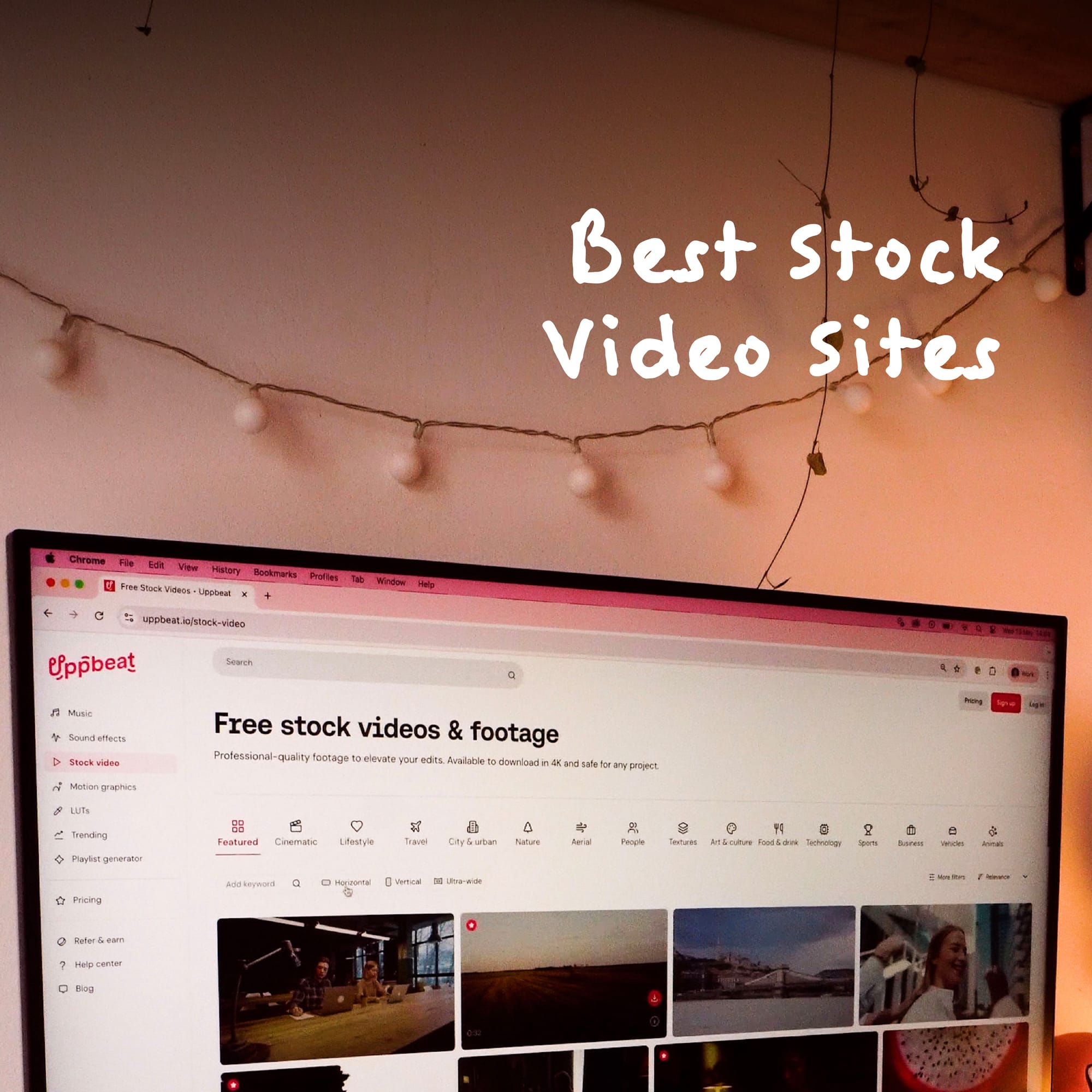
Uppbeat's stock video library covers the footage types that come up most in creator workflows. Lifestyle footage for vlogs and everyday content, nature and environment clips for travel and outdoor content, and city and urban footage for anything that needs a grounded, real-world feel. All footage is rights-cleared and shot by human filmmakers. Browse the full stock video library to find what fits your edit.

What to look for when choosing B-roll footage
The key to finding B-roll is to match it with your own footage. Stock video that looks stylistically different from what you've shot yourself creates a two-tier visual experience that viewers notice. The shooting style, color, and subject treatment all need to feel like they belong in the same video. Here's what actually matters when you're picking clips:
Pace and energy that match your edit. A slow, calm travel vlog needs footage with long, smooth movements. A fast urban lifestyle video needs something shorter and more dynamic. Mismatched pacing stands out immediately.
Clean color that you can grade yourself. Stock footage that's already been heavily graded to a specific look is hard to blend in. Natural, clean footage you can grade to match your existing material is far more useful.
Specific over general. A shot of "a city" is less useful than a shot of a specific kind of city, gritty, quiet, neon-lit at night. Specific footage feels like a choice. Generic footage feels like a gap-fill.
Genuine human behavior. People in stock video who are posed to look natural rarely do. Look for footage where subjects appear absorbed in what they're actually doing.
Technical consistency. Format, resolution, and frame rate matter when cutting original and stock footage together. 4K footage cut against 1080p material can look mismatched even after downscaling.

B-roll is the footage that stops viewers from clicking away
Strong B-roll is one of the clearest differences between a video that holds attention and one that doesn't. The edits that feel worth watching to the end are almost always built on supporting footage that gives them pace, texture, and somewhere to go. Get it right and it becomes one of the most powerful tools in your editing workflow.
For creators who don't have the time or budget to capture hours of extra footage on location, a stock video library fills that gap without compromising on quality. Browse Uppbeat's stock video library to find footage that fits your edit, or read our complete guide to stock video to see how it fits into a full content workflow.